Capability matches the role
The sensor must be suitable for the physical input. A temperature channel does not make an air probe interchangeable with a pipe clamp, and derived values do not have independent physical assignments.
 HVAIMeet your field loop ↗
Tools and compatibility
Declare the phone, instrument model, firmware and connection path. Then verify the complete physical field loop.
Model-specific physical acceptance required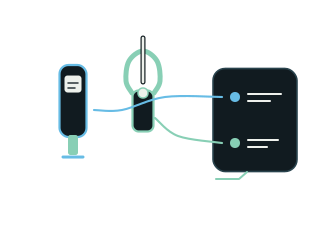
Instrument compatibility / IN DEPTH
Purpose, prerequisites and the evidence that belongs to the task.
A brand name alone cannot establish compatibility. Useful support evidence identifies the exact instrument model, firmware, phone and connection path, then verifies discovery, connection, real telemetry, role mapping and reconnect behavior. HVAI’s supported probe field loop remains in development. This page describes the acceptance questions that matter and the information needed to scope an evaluation; it does not publish an invented list of supported devices.
The sensor must be suitable for the physical input. A temperature channel does not make an air probe interchangeable with a pipe clamp, and derived values do not have independent physical assignments.
Discovery, connection and valid telemetry are separate states. A successful connection must still be checked for source identity, units, freshness, plausible transport and correct mapping.
A supported combination needs understandable behavior through interruptions. The last genuine value should become visibly aged, fresh calculations should exclude it and the graph should preserve the gap.
| Support question | Evidence to establish |
|---|---|
| Which exact combination? | Phone, instrument model, firmware and connection path |
| Which physical role? | Sensor capability, placement and circuit confirmation |
| Is the evidence current? | Source identity, units, timestamps and validity |
| What happens after interruption? | Aged values, visible gaps, correct reconnect and calculation eligibility |
Open a step to inspect what needs to stay clear.
Record the phone, instrument model, firmware, intended role and connection path. Include the equipment and conditions needed to interpret the acceptance test.
Verify real readings and their attributed source on the declared combination. A build check or simulated interface cannot substitute for physical BLE and accuracy evidence.
Confirm placement and circuit roles. Make sure a selected circuit or historical asset cannot redirect another active channel or capture destination.
Exercise loss and return of the connection. Review freshness, gaps, eligible calculations and the identity of the returning source before considering the loop dependable.
The October brief does not provide a validated compatibility catalog or establish acceptance across all devices and field conditions. Supported-scale, micron-source and additional integration paths require their own declared evidence and permissions.